

Select a position in the Positions list and the Allocation panel shows the Desk's allocation on it. The badge in the title bar shows its state: Qualified (the allocation is running), Out (the Desk's stop was hit), Syndication ended, Settled or Disqualified.
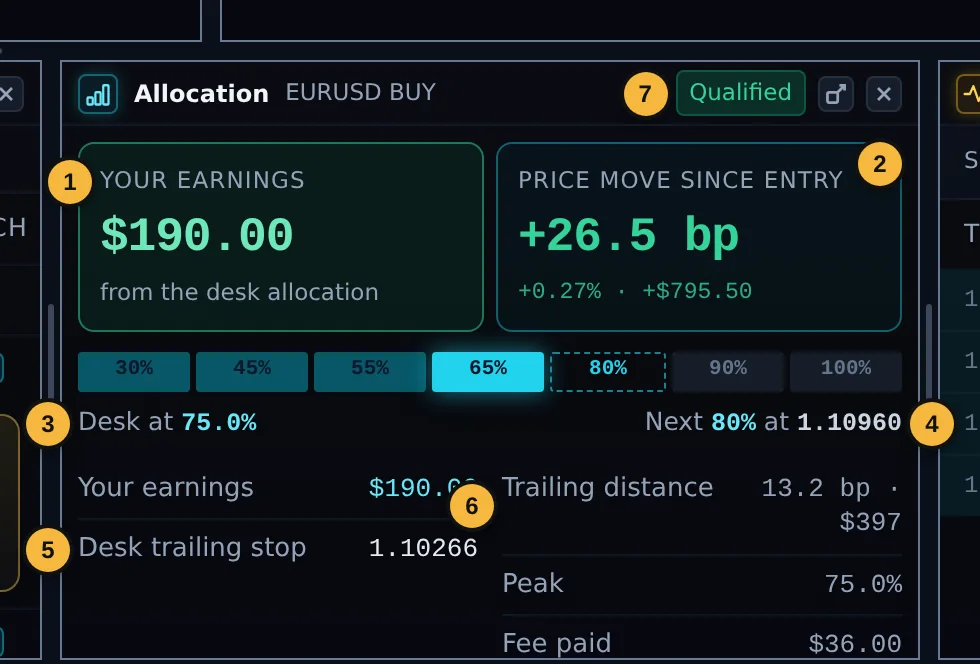
| 1 | Your earnings from the Desk allocation, live. |
| 2 | Price move since entry in bp, in % and in dollars on your position. |
| 3 | Desk at: how much of your size the Desk holds now. The bar above shows the levels: filled up to the current one, the next one dashed. |
| 4 | Next: the next level and the price that unlocks it. It can also say the next level comes next minute, or that the top level is reached. |
| 5 | Desk trailing stop: where the Desk's stop is now. |
| 6 | Trailing distance, Peak (the highest level reached) and Fee paid. |
| 7 | State badge. |
Banked and still running
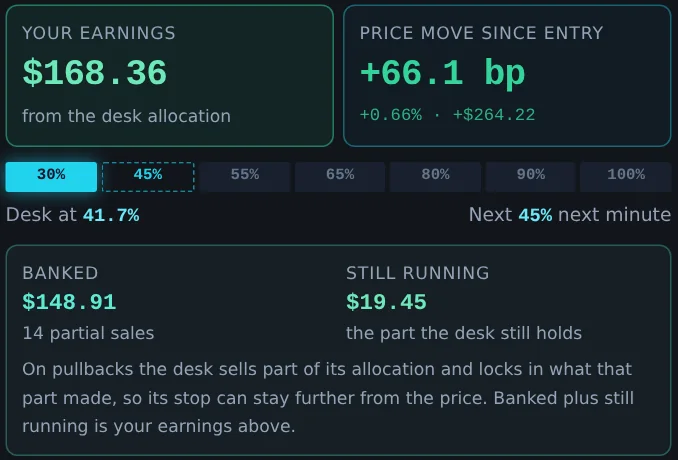
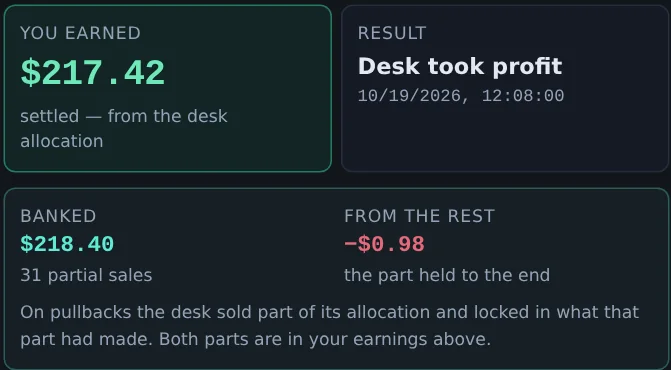
When the Desk has sold part of its allocation on a pullback, a box under the levels splits your earnings in two:
- Banked: your share of what the partial sales locked in, and how many sales there were. It can no longer be lost to a later move.
- Still running: your share of what the part the Desk still holds is making now. It moves with the price.
The two always add up to Your earnings above. Nothing in the box is extra money.
Banked can be below zero when a sale was made before the trade was in profit. That comes out of the Desk's own risk, never from you, and if the total finishes behind, the trade has nothing to share.
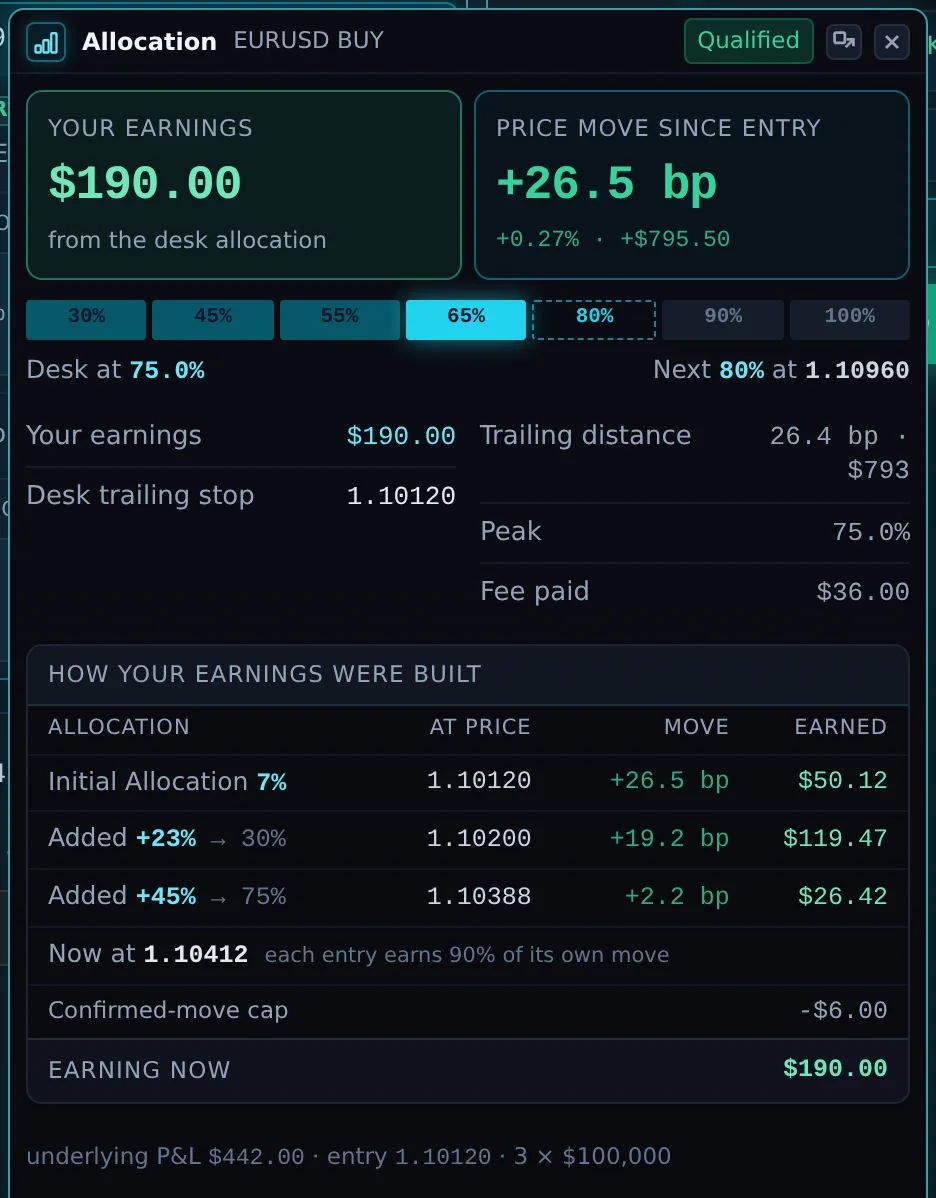
How your earnings were built
Below the summary, a table shows each step of the allocation: the Initial Allocation, each time the Desk added, sold part or bought back, the price, the move that step was paid on, and what it earned. "Now at" shows the current price and the total earning now.
Each move is paid at your share of the allocation the Desk held while it happened.
At the bottom, a line shows your underlying P&L, entry and size: that is your own position, separate from your earnings.
When the Desk's stop is hit, or the allocation ends
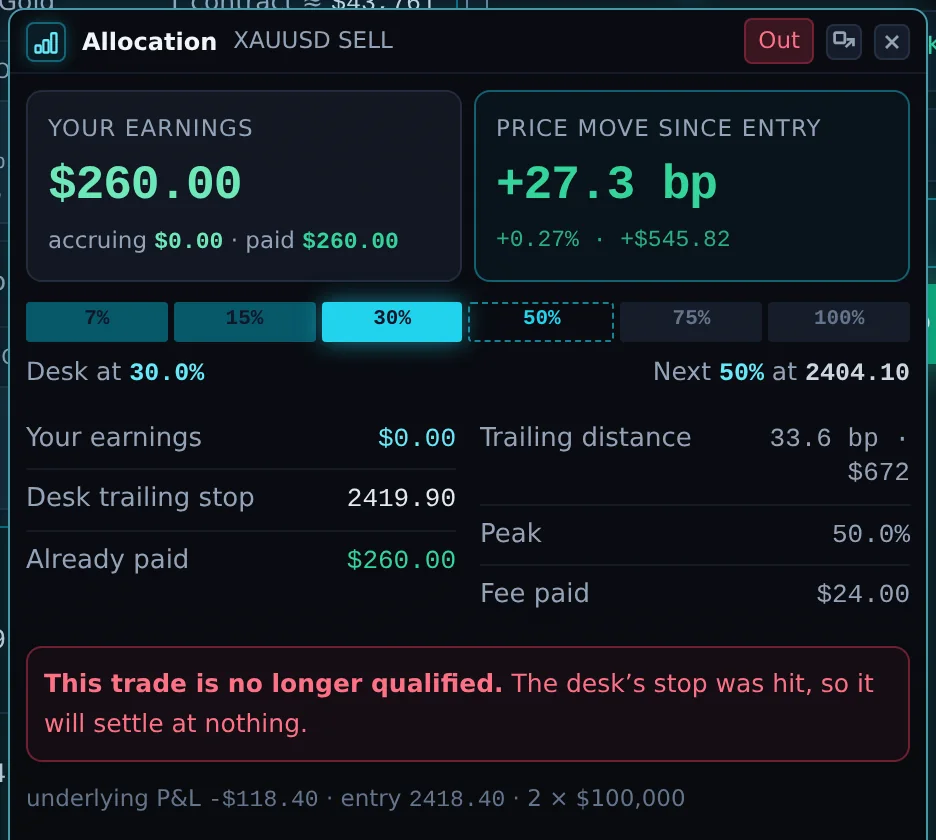
This trade is no longer qualified. The Desk's stop was hit, so the remaining allocation settles at nothing. Earnings already paid are shown separately ("Already paid") and stay paid. Your own position may still be open.
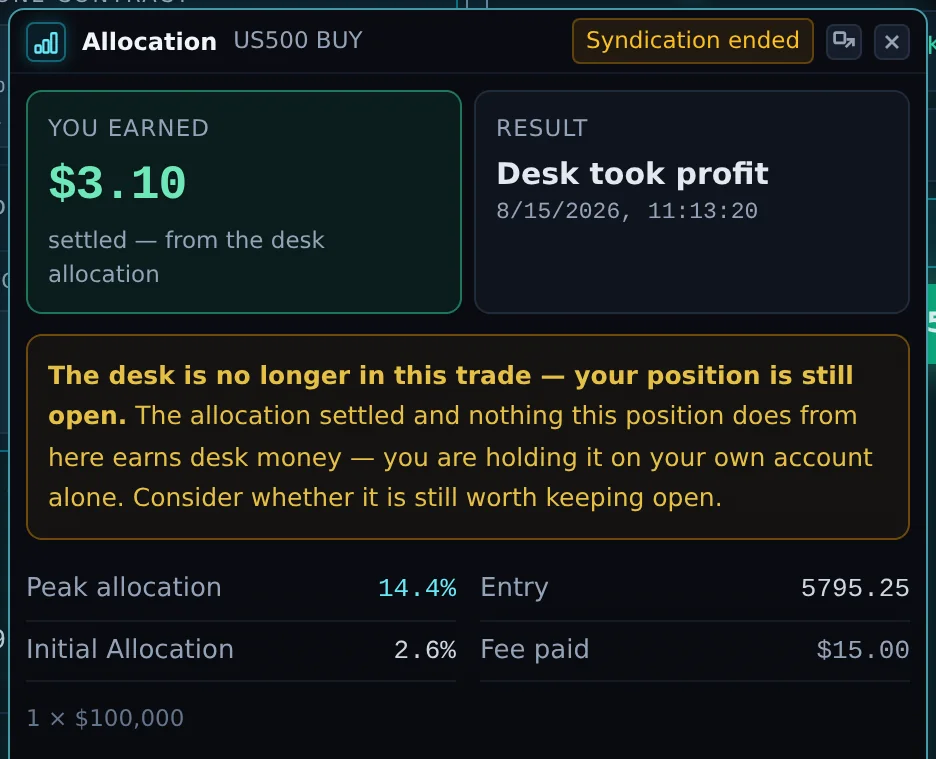
The Desk is no longer in this trade; your position is still open. The allocation settled with the result shown. You are holding the position on your own account alone.
Settled trades
After a trade closes, the panel shows You earned, the Result with its time, and how the earnings were built, ending with the closing price and the Total settled. The footer shows the peak allocation, the initial allocation, your entry and the fee paid.
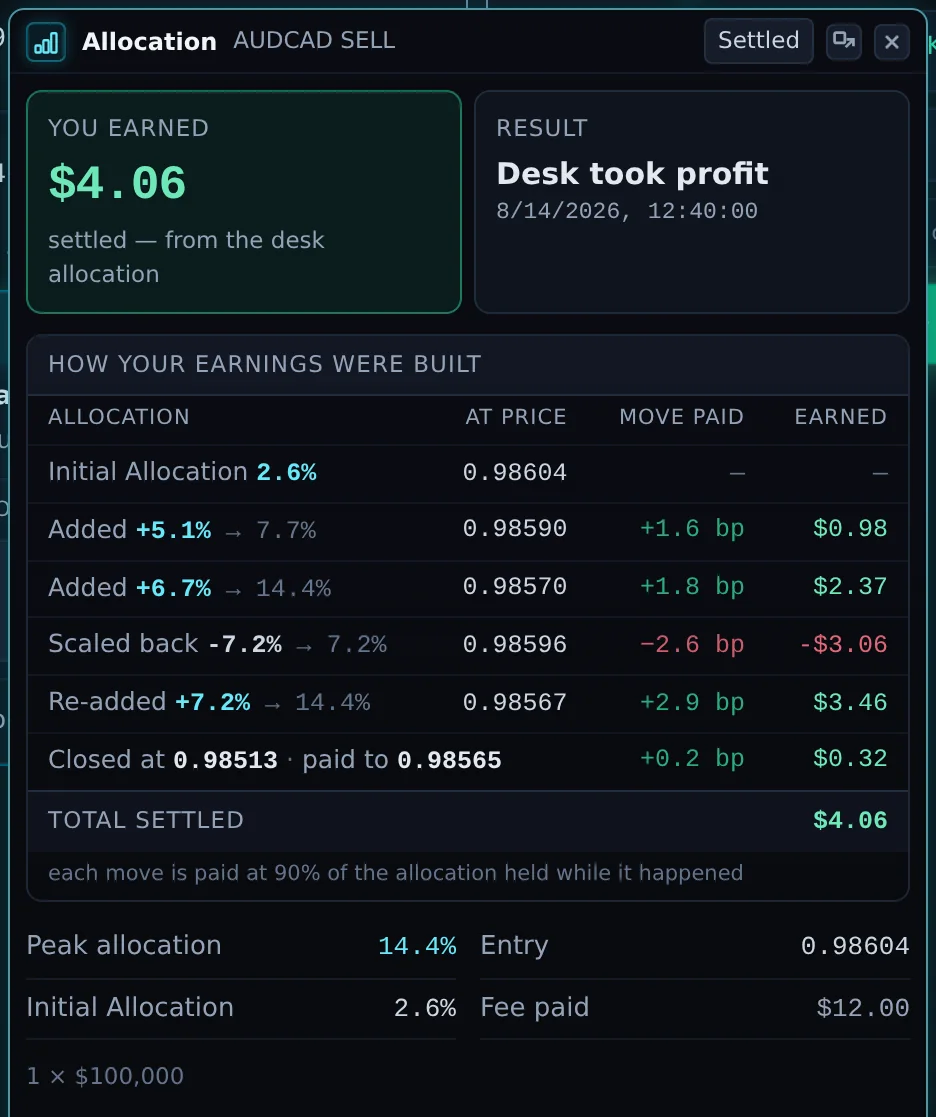
If the Desk made partial sales, the same Banked box shows what they locked in and, beside it, From the rest: what the part held to the end made. Together they are what you earned.
How this is calculated (legs). For newer trades, the Desk is paid on what its own allocation made on your trade. Each time that allocation changed, one leg closed and another opened. The table lists each leg: what the Desk held, from and to which price, the move and what the Desk made. A run of partial sales, or of buy-backs after them, is shown as one row ("after sale", "n sales", "n buy-backs"). You receive 90% of the total.
Legs that lost money reduce the total. If the total finishes behind, there is nothing to share on that trade, and the Desk absorbs its own losses in full; you are never charged for them.
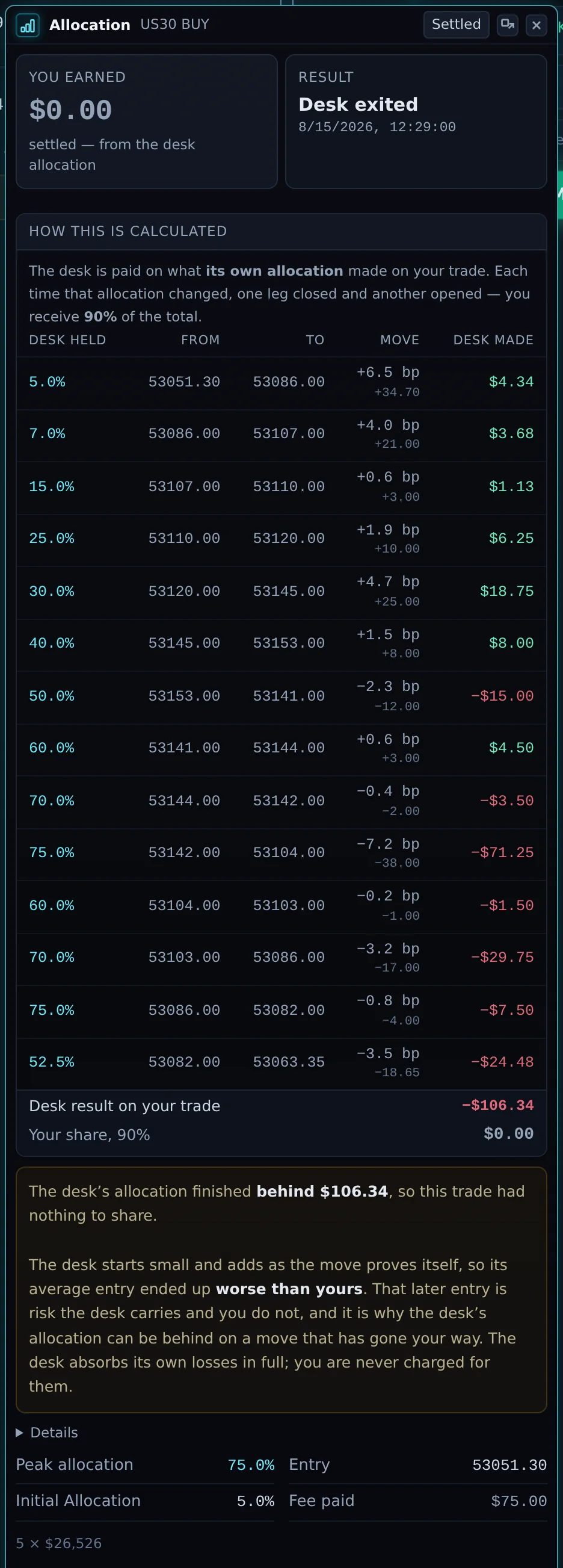
Why the Desk can be behind on a move that went your way
The Desk starts small and adds as the move proves itself. Its later additions are made at prices further along the move, so its average entry is worse than yours. If the price then pulls back, the Desk's larger, later holding can lose more than its small early holding made, even though your own position is still ahead.
That later entry is risk the Desk carries and you do not. It is why your earnings can be lower than your own position's profit, or zero on a trade you closed in profit.
Open Details under the table to compare the Desk's average entry with yours, and to see the fee paid.
When the breakdown is missing
Occasionally the panel says the step-by-step breakdown is not available for a trade. Your earnings figure is still correct; only the detail is missing.