
The Positions panel has five tabs: Open, Pending, Closed, Deals (each fill) and History (each order).
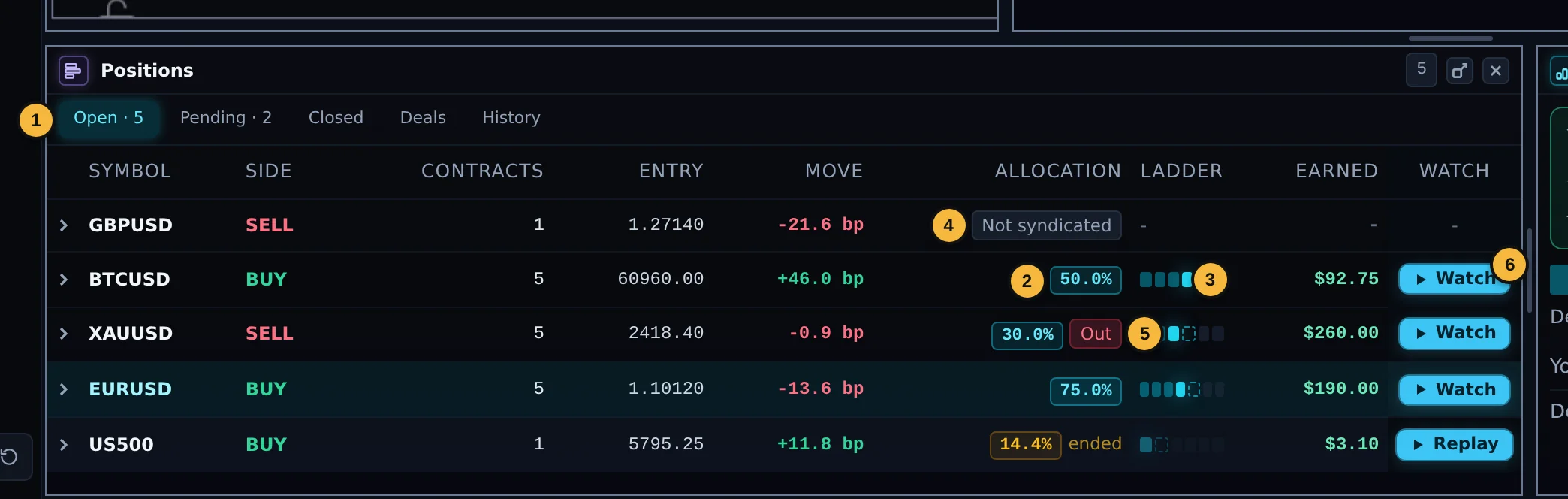
| 1 | Open tab with the number of open positions. Columns: symbol, side, contracts, entry, move since entry in bp, Allocation, Ladder and Earned. |
| 2 | Allocation: how much of your size the Desk holds now. |
| 3 | Ladder: a small bar of the Desk's levels, filled up to the current one. |
| 4 | Not syndicated: the Desk has no allocation on this position. |
| 5 | Out: the Desk's stop was hit. "ended" (in amber) means the Desk has settled out and you are holding the position on your own. A dash means the Desk's record of the position is still on its way. |
| 6 | ▶ Watch: opens the replay of this trade and keeps it live: the chart, the Desk's allocation and "If you closed now" follow the trade as it develops (Chapter 15). On a row where the Desk has finished, the button reads ▶ Replay and replays what the Desk did. On a phone the button is on the position's own screen (Chapter 17). |
Earned shows your live earnings on each position. A small marker appears when you have set an earnings level (see SL/TP below).
The earnings tip

Press Set it now to go straight to the SL/TP dialog, Later to hide it for now, or Don't show again.
The expanded row
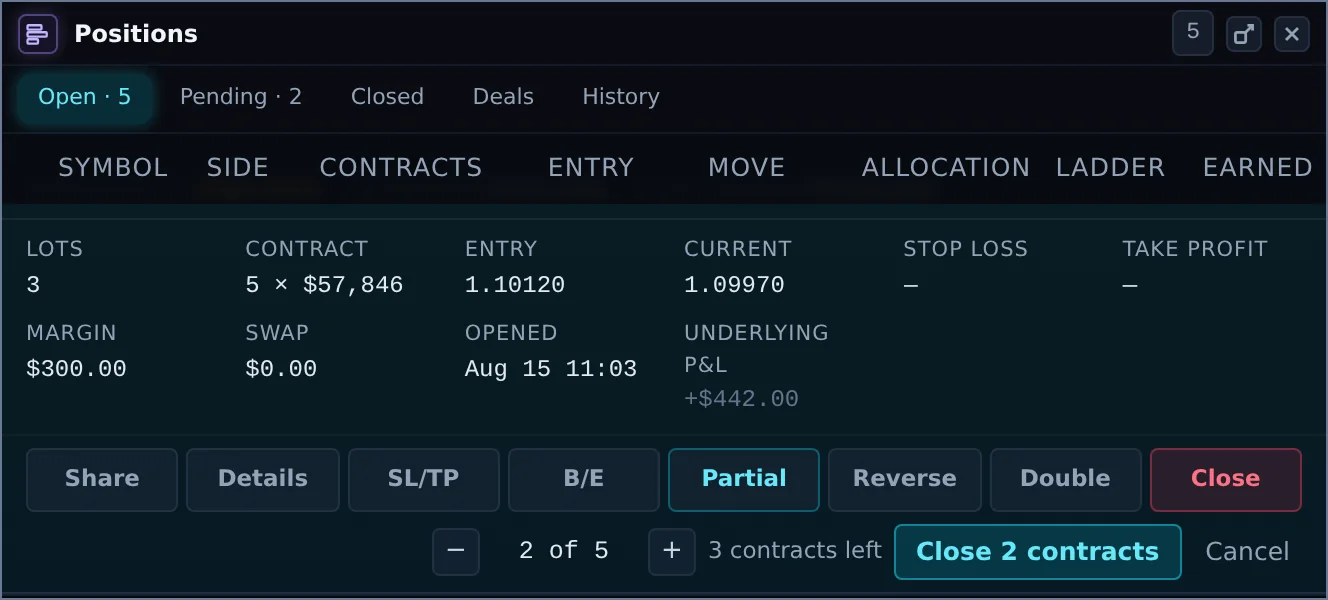
Click a position to open it. You see the underlying position number, the disqualification level, the trade's three settings (fixed at open), and the lots, contract size, entry, current price, stop loss, take profit, margin, swap, open time and underlying P&L. Then the actions:
| Button | What it does |
|---|---|
| Share | Make a share card for this trade (Chapter 15). |
| Details | The raw position, deals and orders. |
| SL/TP | Set or change your stop loss and take profit, by price or by earnings. |
| B/E | Move your stop loss to break-even. Shown only when the position is in profit. |
| Partial | Close some contracts: choose how many with − and +, then Close n contracts. Not available on a one-contract position. |
| Reverse | Close this position and open the opposite side at market. |
| Double | Open a second position of the same size and side at market. |
| Close | Close the whole position. Click once more to confirm. |
SL / TP: by price or by earnings
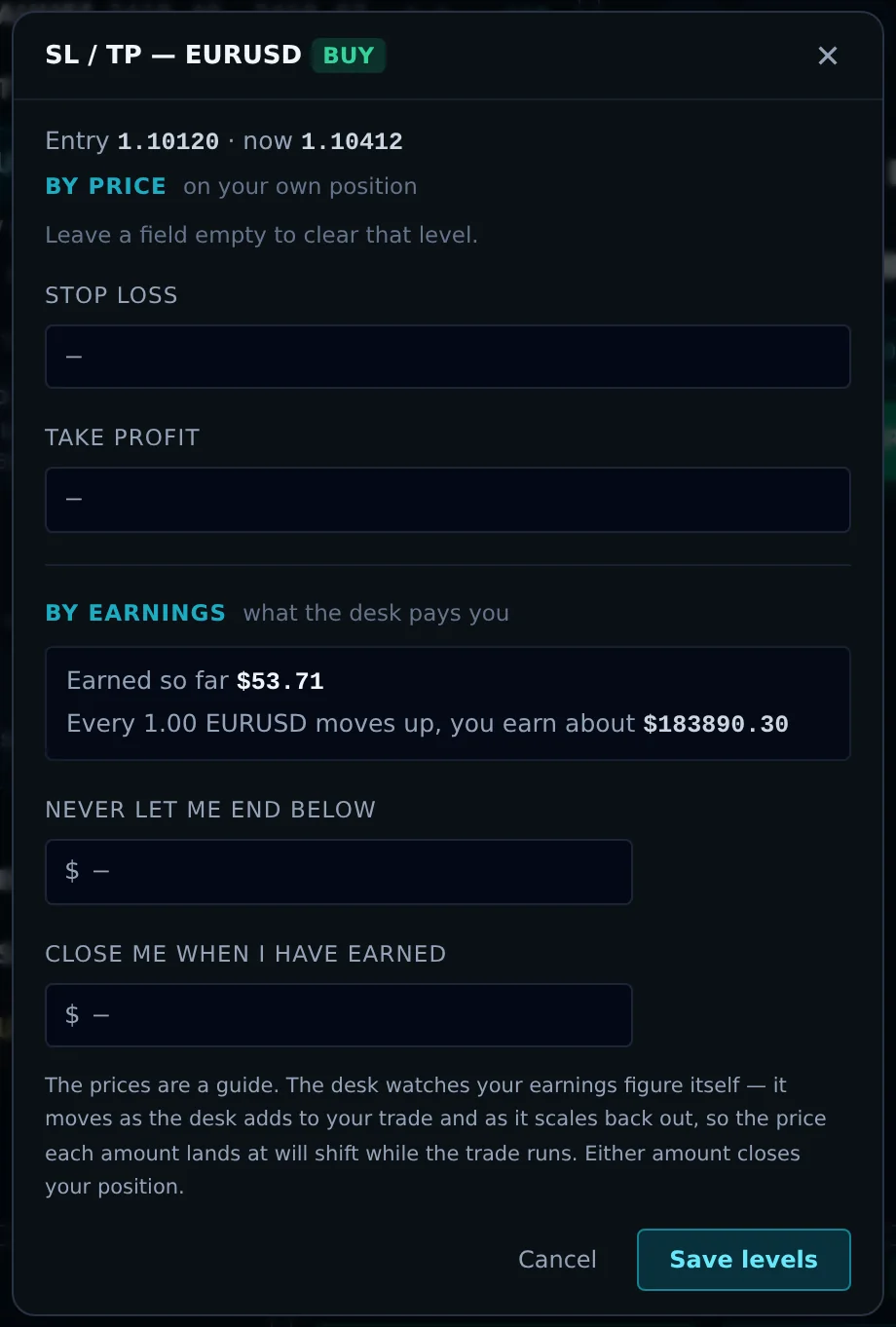
By price sets the stop loss and take profit on your own position. Leave a field empty to clear that level.
By earnings (syndicated trades only) works on what the Desk pays you:
- Never let me end below $: locks in a minimum. If your earnings fall back to this amount, your position closes.
- Close me when I have earned $: takes the profit. When your earnings reach this amount, your position closes.
The dialog shows what you have earned so far and an approximate price for each amount. The prices are a guide only: the Desk watches your earnings figure itself, and that figure moves as the Desk adds and scales back. Either amount closes your position. Press Save levels.
When one of these fires, you see "Your earnings take-profit fired" or "Your earnings lock-in fired".
Break-even
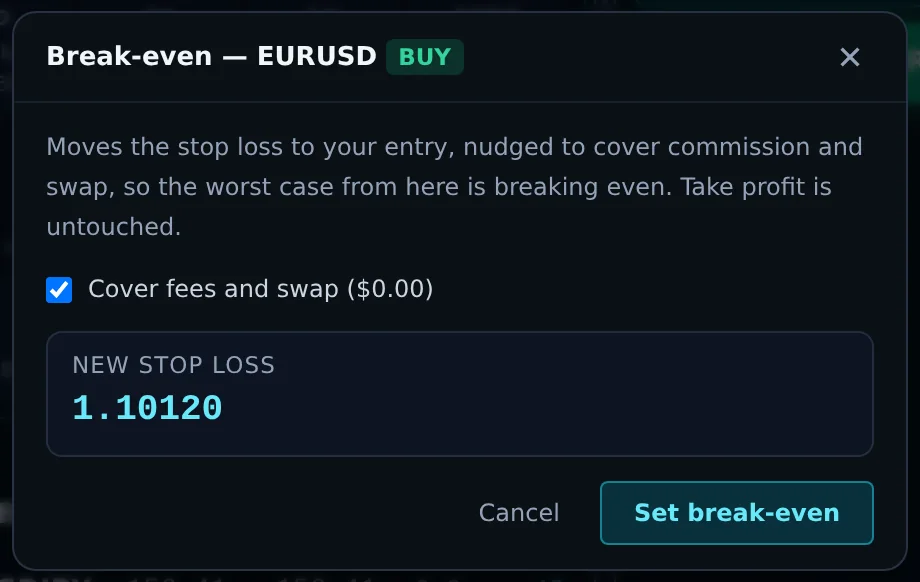
Moves your stop loss to your entry, nudged to cover commission and swap if you tick that box, so the worst case from here is breaking even. Take profit is untouched. The venue refuses a stop on the wrong side of the price, so it is only offered when the position is in profit.
Reverse
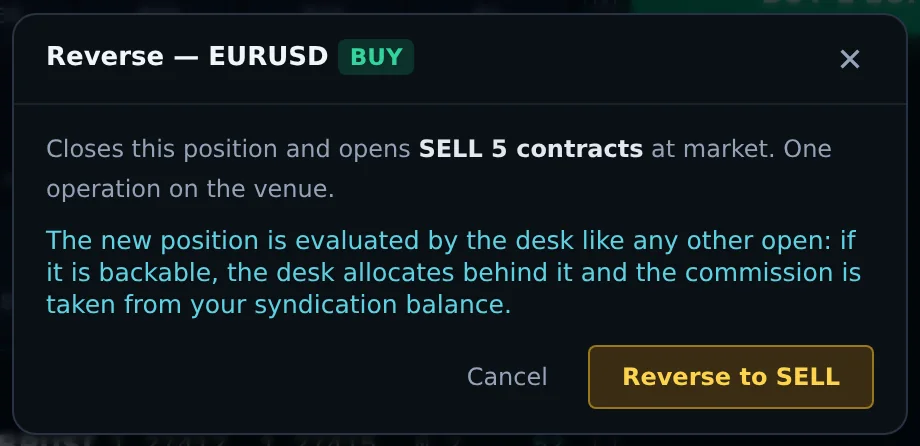
Closes this position and opens the same number of contracts on the other side at market, in one operation.