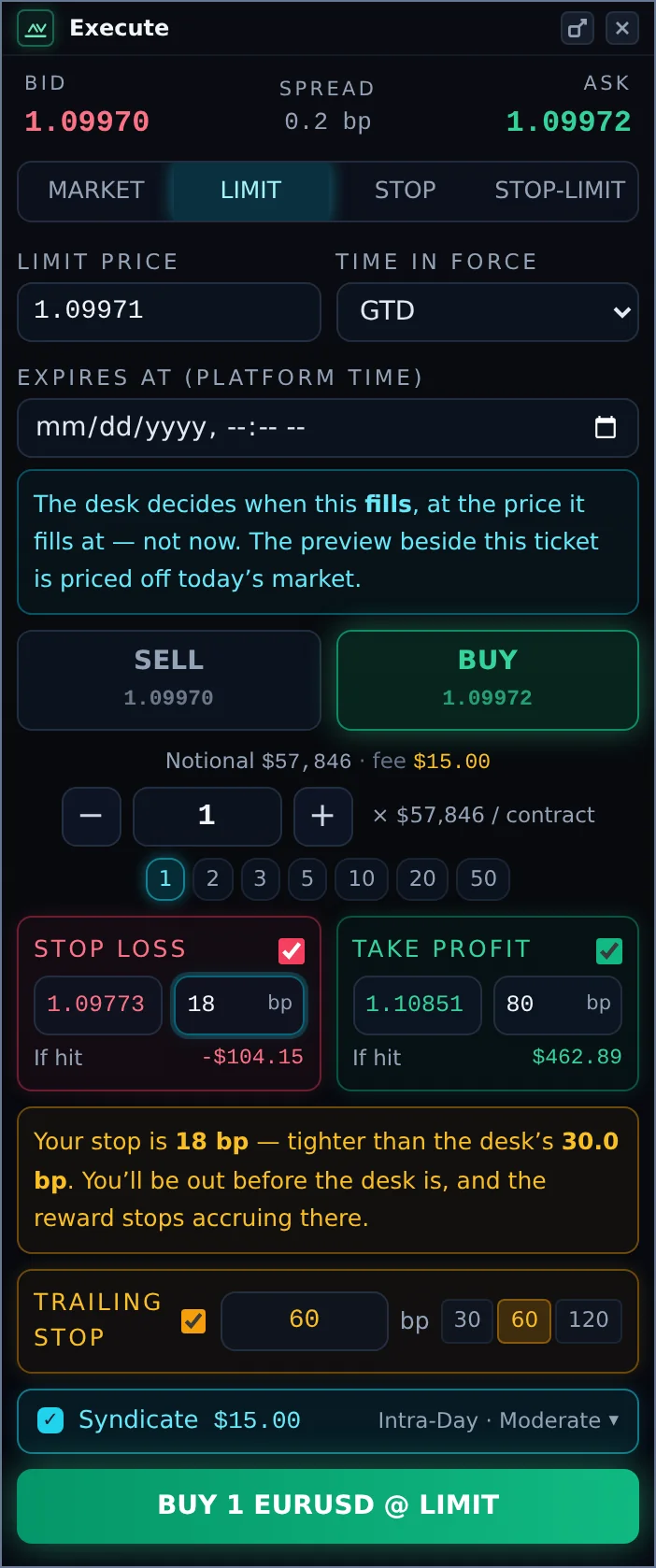

| 1 | Quote: bid, ask and the live spread. |
| 2 | Order type: MARKET fills now. LIMIT, STOP and STOP-LIMIT wait for a price, with a time in force (GTC good till cancelled, DAY end of the platform day, GTD good till a date you set in platform time). |
| 3 | Side: SELL or BUY, each showing its price. |
| 4 | Notional and fee: the value of your order and the syndication fee it will cost. |
| 5 | Size in contracts: type it, use − and +, or tap a quick size. The value of one contract is shown beside it. |
| 6 | Stop loss and Take profit for your own position. Tick to enable; set a price or a distance in bp (each fills the other) and see the dollar result "If hit". |
| 7 | Trailing stop for your own position, in bp, with quick values. |
| 8 | Syndicate and its fee. Tick it to have the Desk syndicate this trade. The fee turns amber on High-Risk. |
| 9 | Details: your trade settings for this order and the overnight cost. Click to open. |
| 10 | Send: the button names exactly what will be sent, for example "BUY 1 EURUSD @ 1.09972". |
Syndicate Details
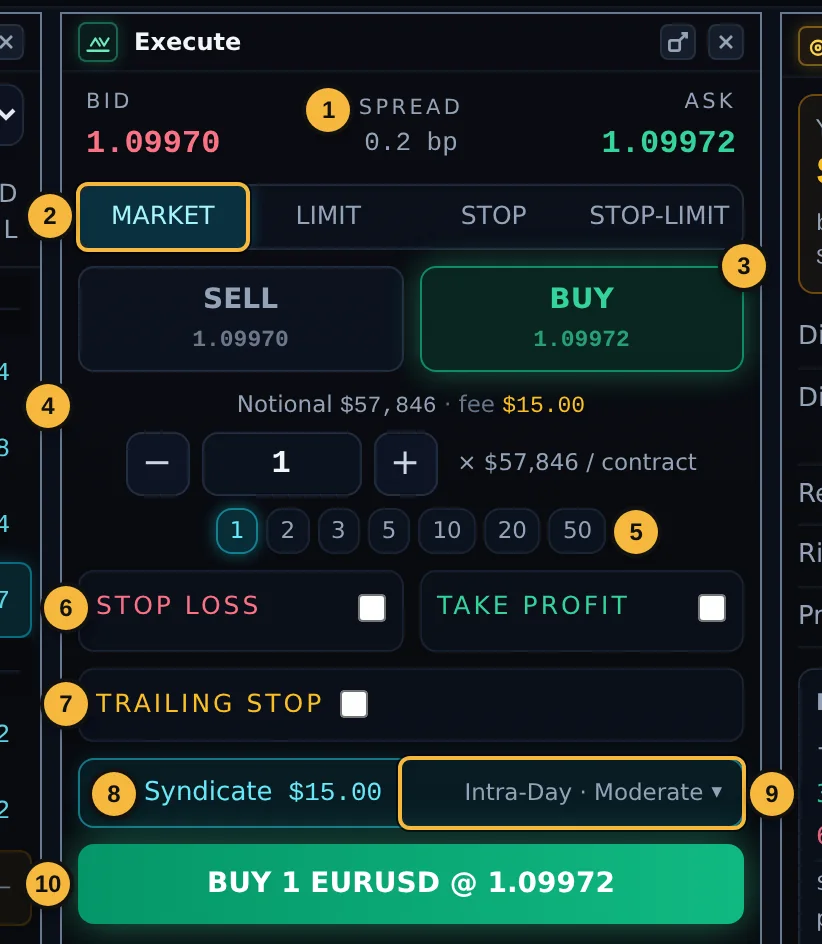
Open the Syndicate row to see, in order:
- Risk tolerance, with the fee per contract.
- Timeframe.
- Profit appetite.
- Overnight: what holding this many contracts overnight would cost per night and per week, or "no charge" for the side you chose. Some instruments carry a contract roll rather than interest, which can change sharply; the box says so.
Each control shows your default or Set as default (Chapter 4).
Messages on the ticket
- "Your balance covers N contracts. Above that the trade opens unsyndicated." If you order more contracts than your balance covers, the trade opens as your own position without the Desk. Add balance or reduce the size.
- "Syndicate this trade … desk can't back {Symbol} yet." The Desk does not syndicate this instrument at the moment. You can still trade it.
- "No funded account on this login." There is no account to trade with yet.
Pending orders and stops
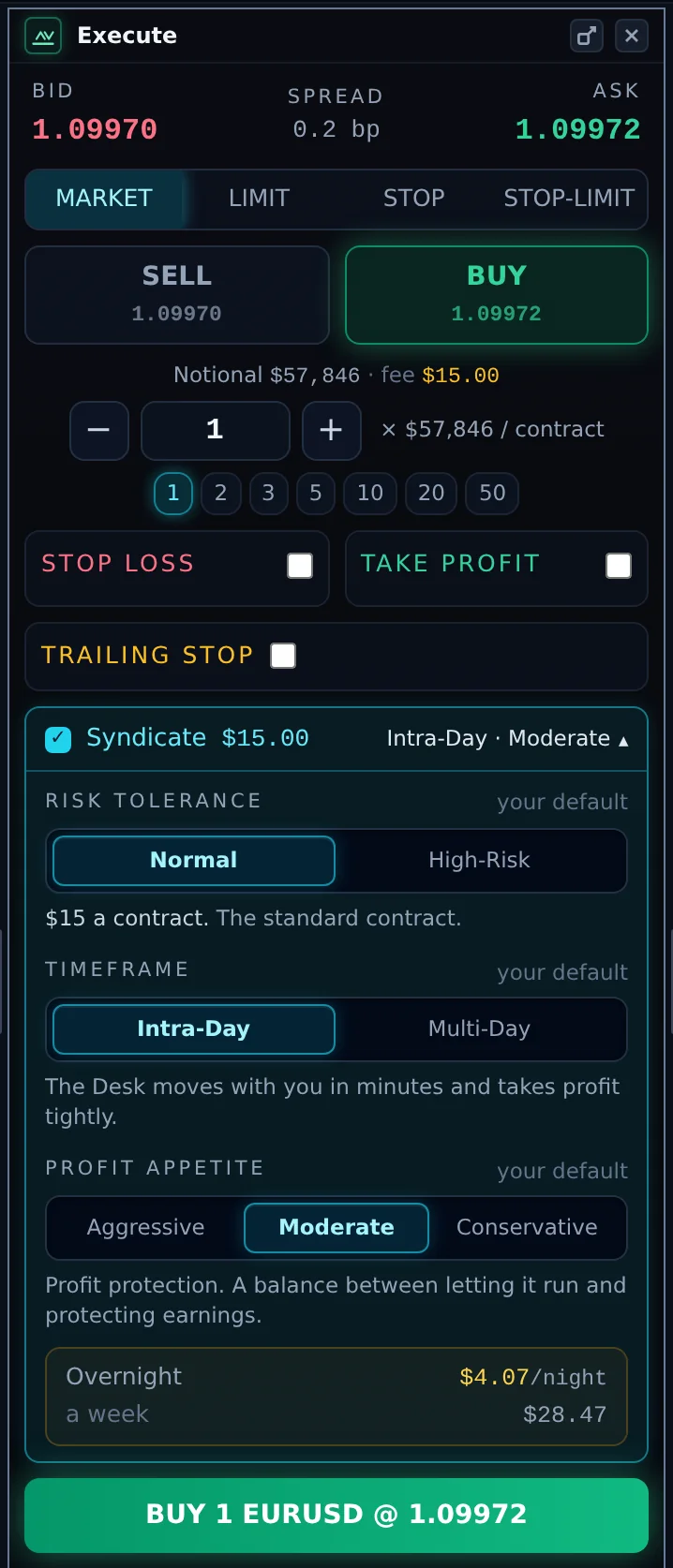
For LIMIT, STOP and STOP-LIMIT orders, the ticket explains that the market decides when the order fills, at the price it fills at. Your stop loss and take profit are measured from the fill price. Nothing is charged until the order fills. When it fills, the Desk evaluates it like any other new trade.
"Your stop is tighter than the Desk's"
If your own stop loss is closer to your entry than the Desk's stop, the ticket warns you. Your position would close before the Desk's allocation does, and earnings stop accruing when your position closes. You can still send the order.
After you send
- "BUY n × … filled" or "… working: LIMIT order placed".
- The fill message never claims the trade was syndicated. Syndication shows a moment later in the position's Allocation column, or a message explains why it did not happen.
- "Not confirmed." The Terminal did not get a confirmation back. The order may still have been placed, so check your positions before sending it again.
- "The order was rejected." Nothing was placed.