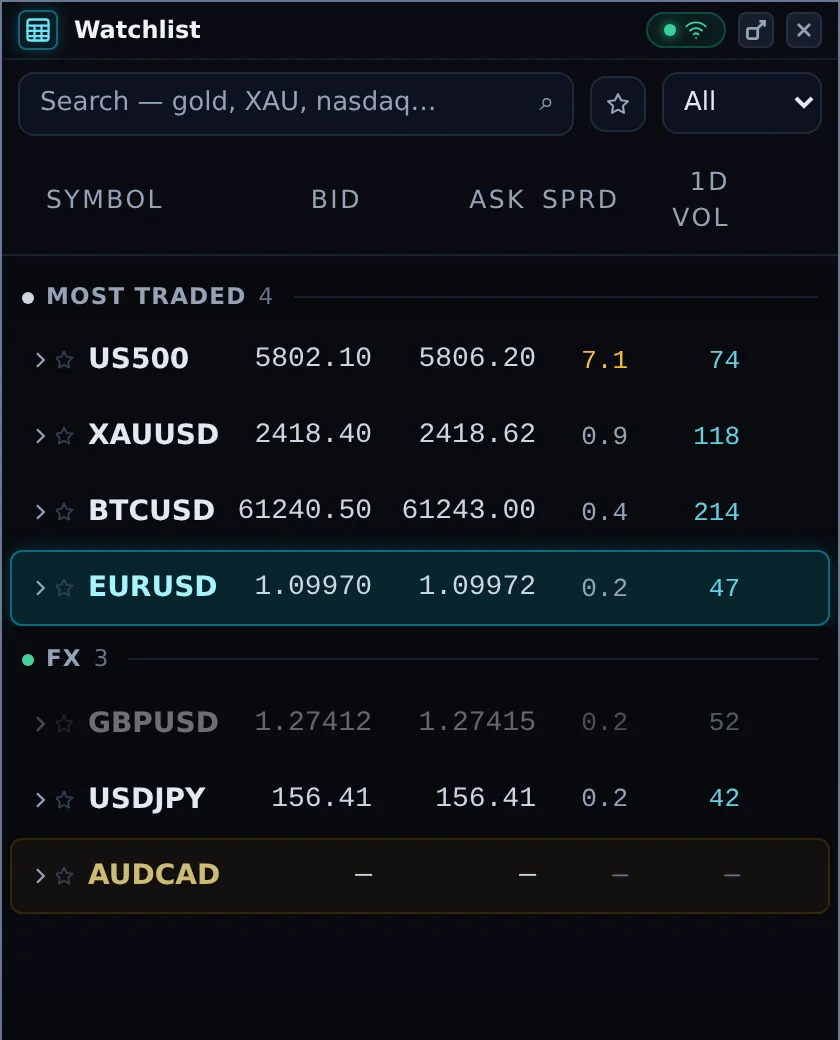

The Watchlist lists every instrument you can trade, grouped into Favorites, Most traded and the asset classes. Click a symbol to select it: the chart, ticket and Pre-open panel all switch to it.
- Search by symbol or name ("gold", "XAU", "nasdaq").
- ☆ star a symbol to add it to Favorites; the star button at the top shows favorites only.
- Type filter narrows the list to one asset class.
A market that is closed right now (at the weekend, or outside its trading hours) is shown in grey. You can still select it: the chart opens on its last session. The row returns to normal when the market opens.
Columns
| Column | Meaning |
|---|---|
| Bid / Ask | Live prices to sell and to buy. |
| Sprd | The live spread in basis points (bp). Amber when unusually wide. |
| 1D Vol | How many basis points the instrument moves in an average day. Hover for the dollar value on one contract. It is the range available, not a payout. |
Expanded row
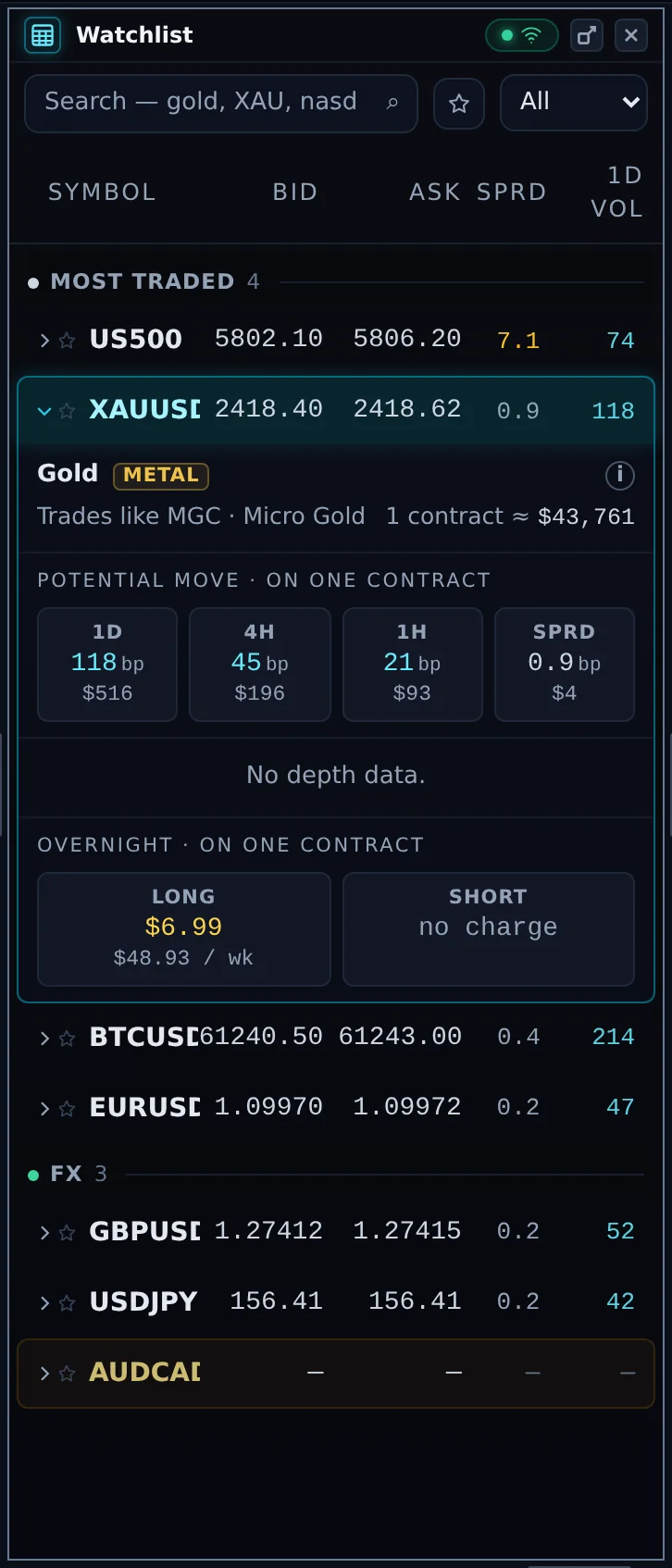
Click the arrow beside a symbol to see the instrument name, what it trades like, the notional value of one contract, the potential move on one contract over a day, 4 hours and 1 hour, the price depth (when available) and the overnight cost on one contract for a long and a short position.
Instrument details
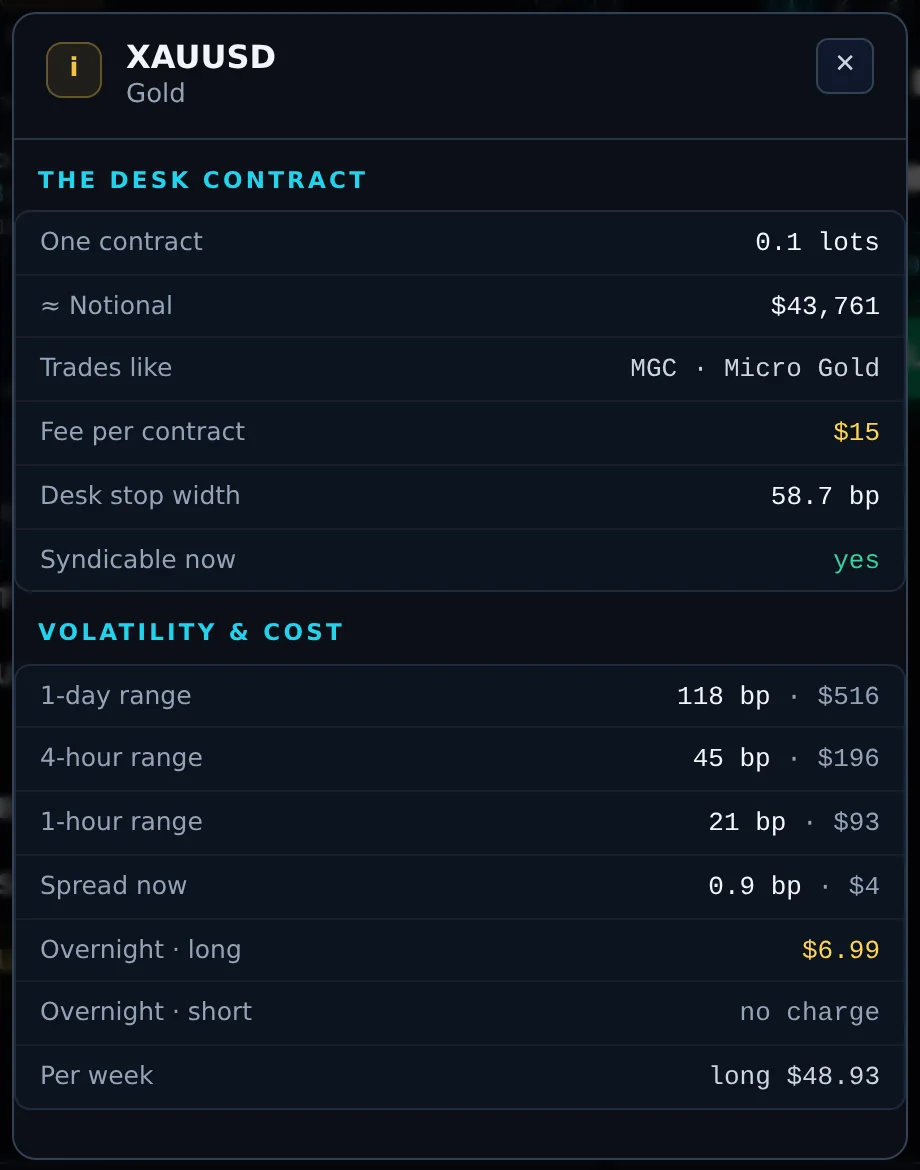
The i button in the expanded row opens the instrument's specification:
- The Desk contract: the size of one contract in lots, its notional value, what it trades like, the fee per contract (flat, the same on every instrument), how wide the Desk's stop is on this instrument, and whether the Desk can syndicate it right now ("yes", or "still warming up" for an instrument the Desk has not followed long enough).
- Volatility & cost: the typical 1-day, 4-hour and 1-hour ranges, the spread now, and the overnight cost long and short, per night and per week. An overnight figure marked "estimated" is not yet confirmed.