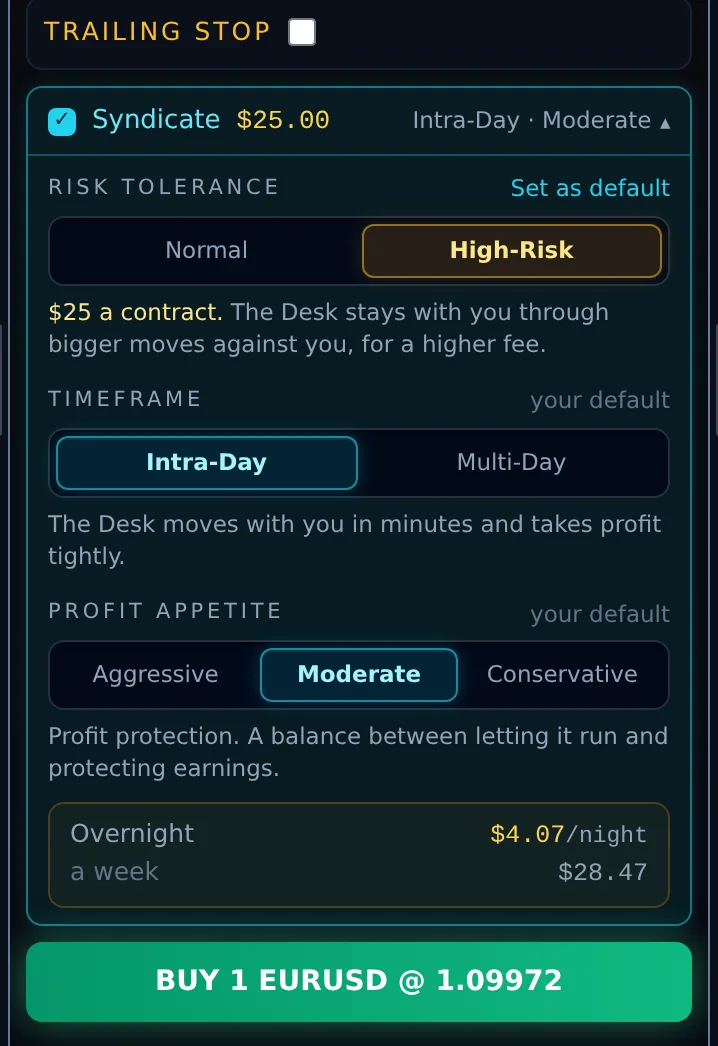

Risk tolerance: Normal or High-Risk
How far the Desk stays with you when the trade moves against you. This is the only setting that changes the fee.
| Option | Fee | What it means |
|---|---|---|
| Normal | $15 a contract | The standard contract. |
| High-Risk (shown in amber) | $25 a contract | The Desk stays with you through bigger moves against you, for a higher fee. Its stop starts farther from your entry, so ordinary swings are less likely to end the allocation early. On some instruments the Desk may start with a smaller share of your size. |
Timeframe: Intra-Day or Multi-Day
| Option | What it means |
|---|---|
| Intra-Day | The Desk moves with you in minutes and takes profit tightly. |
| Multi-Day | The Desk moves with you over hours and gives your move more time to develop. |
Profit appetite: Aggressive, Moderate or Conservative
Profit protection: how much of your earnings you are willing to give back once the trade is in profit.
| Option | What it means |
|---|---|
| Aggressive | Lets a winning trade run further. More can be given back. |
| Moderate (the standard choice) | A balance between letting it run and protecting earnings. |
| Conservative | Protects earnings sooner. Less is given back. |
Where to change the settings
1. In the header
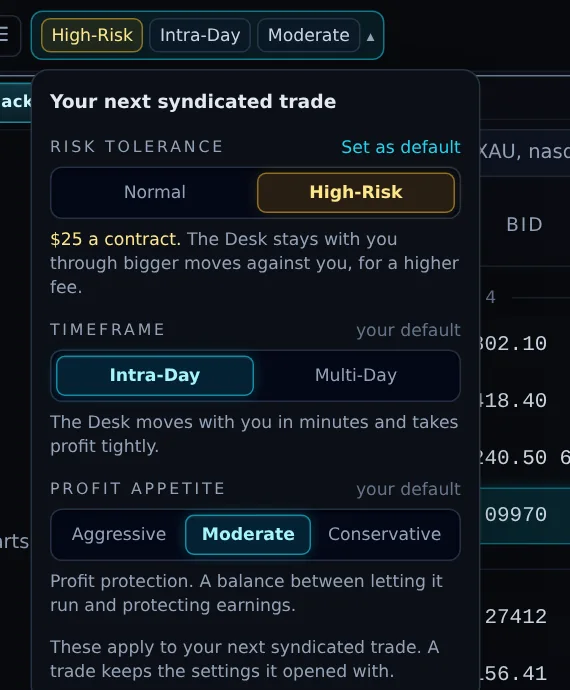
The chips at the top of the Terminal always show your next trade's settings. Click them to open the same three controls.

Each control says your default when the choice shown is your saved one. Pick something else and the label turns into Set as default: click it to save the new choice, or leave it to use the choice for the next trade only.
When High-Risk is chosen, its chip and its fee turn amber so the higher fee is always visible.
2. On the order ticket
The Syndicate row on the ticket has a fold-out summary (for example "Intra-Day · Moderate ▾"). Open it to see and change all three settings for this trade, with the overnight cost underneath (Chapter 9).
3. On the Desk page
The Your trade settings card (Chapter 18) holds your saved defaults. A click on any option there saves it straight away.
4. On a phone
The Next trade row under the header shows the three chips. Tap it to open the controls (Chapter 17).
What the defaults do
The Terminal opens on your saved defaults. Without saved defaults it starts on Normal, Intra-Day and Moderate. A saved default only pre-selects the ticket; the fee charged is always the one shown on the ticket when you send the order.