

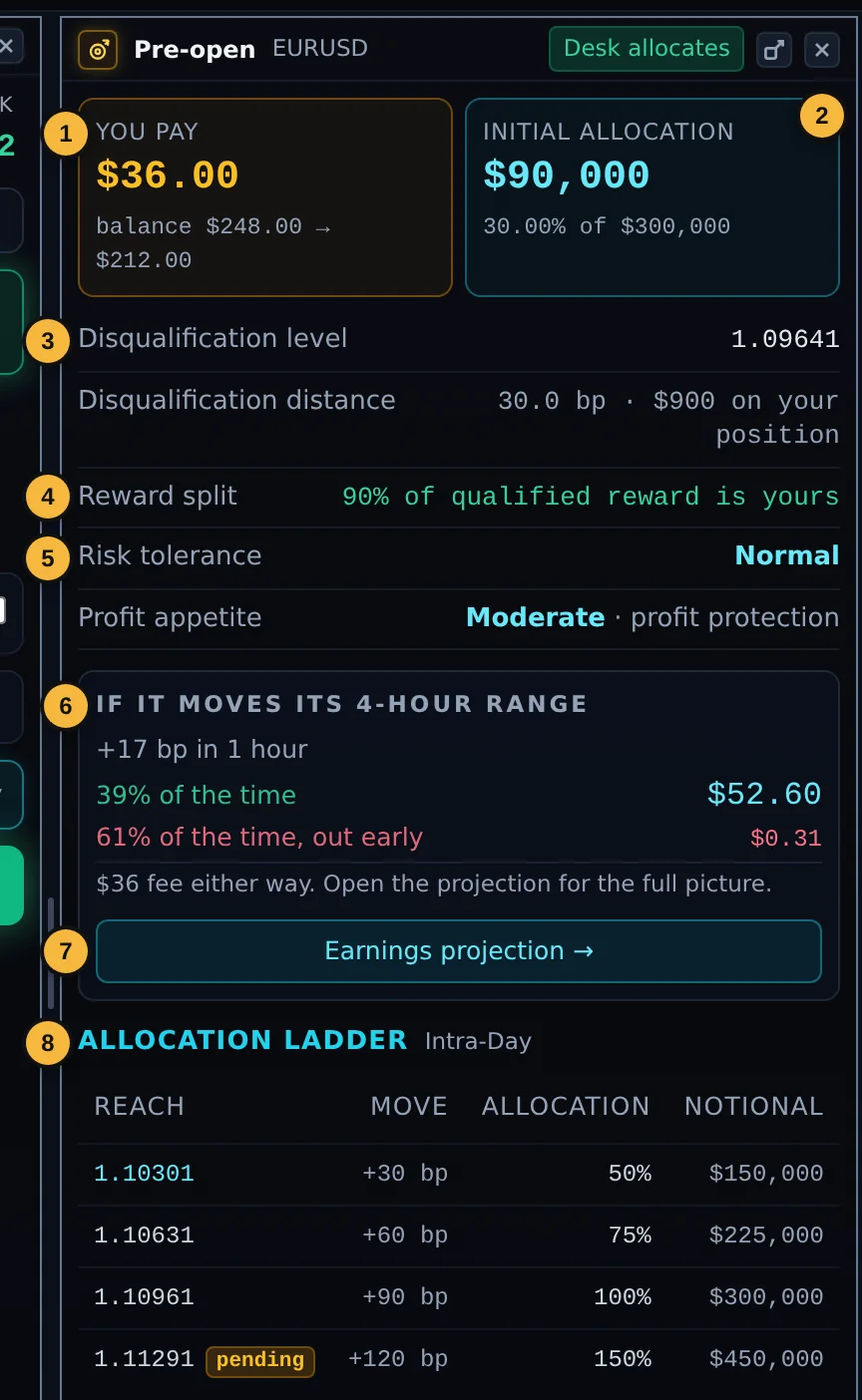
Before you trade, the Pre-open panel shows what syndicating the selected instrument would cost and how the Desk would build its allocation, for the side and size on your ticket. The title bar says Desk allocates when the Desk would join, or No when it would not.
| 1 | You pay: the syndication fee for this order, and your balance before and after. If your balance does not cover it, the trade still opens, unsyndicated. |
| 2 | Initial Allocation: how much the Desk would put behind your trade at the start, as a share of your size. |
| 3 | Disqualification level and distance: where the Desk's stop would start, in price, in bp and in dollars on your position. If price reaches it, the Desk's allocation ends. |
| 4 | Reward split: the share of the qualified reward that is yours. |
| 5 | Your current Risk tolerance and Profit appetite. |
| 6 | Estimate: what the allocation typically pays if the price moves its usual range, and how often the Desk's trailing stop takes it out early. A one-line summary of the projection. |
| 7 | Earnings projection opens the full projection (Chapter 8). |
| 8 | Allocation Ladder: the prices at which the Desk can add to its allocation, the move needed from your entry, and the allocation it would hold at each level. A level marked pending is not yet confirmed. |
When the Desk would not join
- "{Symbol} isn't backable yet." The Desk has not followed this instrument long enough. You can still trade it as your own position.
- "The desk won't ride along on this one." The trade runs as your own position and no fee is charged.
- "We can't price this right now." The estimate is temporarily unavailable. Try again shortly.